

ProtoArc EM11 NL & EM05 NL Ergonomic Mouse – Ergonomic Design, 2400 DPI, Connects to 3 Devices, USB-C Charging, Wireless Bluetooth
Showcase · not for sale yetWe found it and like it, but we do not sell it. Leave your email to say you want it, and we write if it becomes available.
- No payment, just your email
- One email when it opens
- Unsubscribe any time
Every campaign we've run, on the record.
Our track record
- 62campaigns on record
- 43delivered on time
- 18late, announced ahead
- 1refunded the one time a goal was missed
- Full refundEvery order in the campaign
Why it’s on our shelf
- Pick your gripThe EM11 NL is a vertical mouse, and the EM05 NL puts a thumb trackball in a vertical mouse shell.
- Three devicesThe EM11 NL connects to three devices over a USB receiver or Bluetooth low energy.
- Quiet clicksReviewers note silent buttons on the EM11 NL, which suits shared rooms.
Two ergonomic mice for the desk: a vertical mouse and a thumb trackball in a vertical shell.
The ProtoArc EM11 NL and EM05 NL are two wireless ergonomic mice. The EM11 NL is a vertical mouse with an optical sensor, and the EM05 NL is a vertical thumb trackball mouse. Both are made for people who spend long hours at a computer and want to reduce wrist strain.
Highlights
- Vertical designs keep the wrist and forearm in a natural position.
- Both models connect to 3 devices with one-button switching.
- Built-in 500mAh Li-Ion battery, charged over USB-C, with auto-sleep.
- Silent clicks for shared spaces.
- EM11 NL has a matte rubber coating with anti-slip grooves and a battery indicator light.
- EM05 NL has a thumb-operated trackball that moves the cursor without moving the mouse, and the trackball is removable for cleaning.
Specifications
- EM11 NL tilt angle: 58 degrees
- EM11 NL sensor and DPI: Optical sensor, 3 levels: 1000 / 1600 / 2400
- EM11 NL connectivity: 2 Bluetooth devices and 1 USB 2.4GHz device
- EM11 NL compatibility: Windows, macOS, Android; side buttons (forward/backward) are not compatible with macOS
- EM11 NL battery indicator: Blue when fully charged, flashing red when low
- EM05 NL tilt angle: 62 degrees
- EM05 NL control: Thumb-controlled trackball, 5 DPI levels: 200 / 400 / 800 / 1200 / 1600
- EM05 NL connectivity: Bluetooth 5.1, Bluetooth 3.0, and 2.4G USB
- EM05 NL compatibility: Windows, macOS, Android, iOS
- Battery (both): 500mAh Li-Ion, USB-C charging


Product specification
- EM11 NL DPI
- 1000 / 1600 / 2400
- EM11 NL weight
- 3.9 oz
- EM11 NL dimensions
- 2.68 in high x 5.43 in deep x 2.72 in wide
- EM11 NL click life
- 3 million+
- EM11 NL battery
- Rechargeable Li-Po, 500 mAh
- EM11 NL connection
- USB receiver / Bluetooth low energy
- EM05 NL sensor
- Optical
- EM05 NL DPI
- Five settings, 200-1600 dpi
Questions people ask
What is the difference between the EM11 NL and the EM05 NL?
The EM11 NL is a vertical mouse you move across the desk. The EM05 NL is a thumb-controlled trackball in a vertical mouse shell, so the cursor moves with your thumb.
What DPI settings does each model have?
The EM11 NL offers 1000, 1600 and 2400 DPI. The EM05 NL has five sensitivity settings from 200 to 1600 dpi, changed with a button next to the scroll wheel.
Do the side buttons work on a Mac?
Not fully. A review found the EM11 NL forward and back buttons do not work in browsers on macOS the way they do on Windows, and another notes some buttons are limited on macOS.
How does the EM11 NL connect?
It uses a USB receiver or Bluetooth low energy and can pair with three devices.
What powers the EM11 NL?
A rechargeable 500 mAh Li-Po battery, so there are no disposable batteries to swap.
Shipping to the US & customs
Shipping options, origin and delivery estimates depend on the item and destination. Check the shipping information for your order.
Makes the EM11 NL & EM05 NL Ergonomic Mouse better
Only things that work with it — nothing random. All in stock.
-
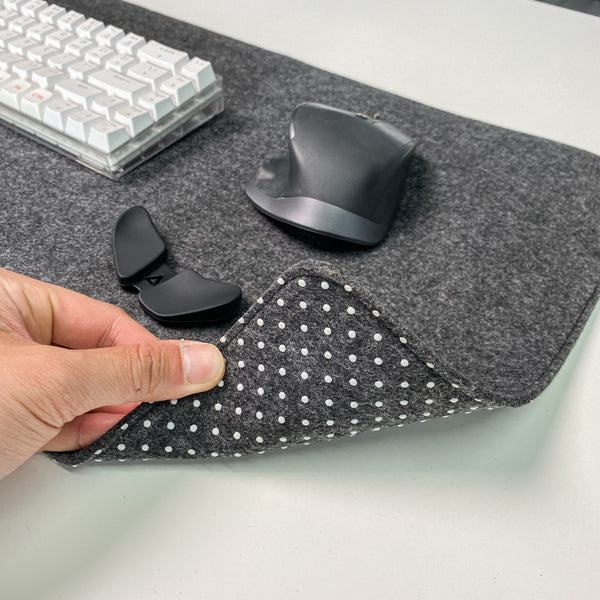
Wool Felt Desk Pad, 80 x 40 cm, Non-Slip Base
A felt pad gives the EM11 NL a soft surface to move across; the EM05 NL trackball stays in place.
$24.99 -
NC61 Magnetic Switch Mechanical Keyboard, Single-Mode
A compact 61-key board leaves room beside it on the desk.
$60.24View -
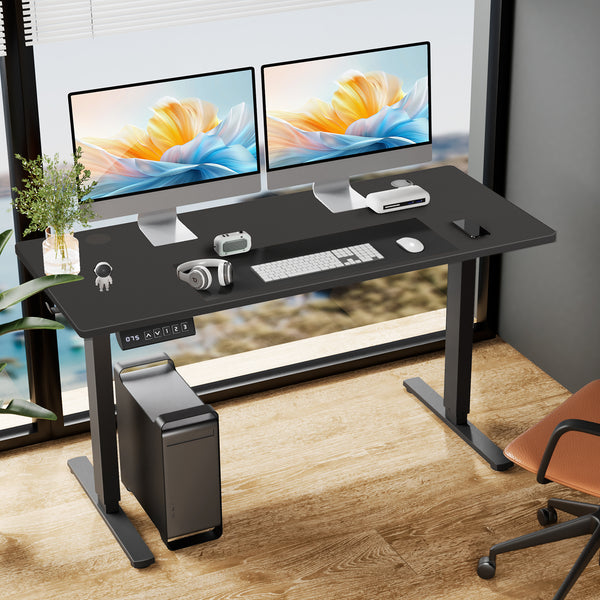
Electric Height Adjustable Standing Desk, 63 x 24 in, Splice Board Top with 2 Hooks and Wire Hole
A 63 x 24 inch sit-stand top has room for it beside screens and a keyboard.
$186.96View -
AJAZZ ALUX68 Aluminum Magnetic Keyboard, 68 Keys, Wired
An aluminum 68-key keyboard that leaves room for the mouse.
$102.48View