
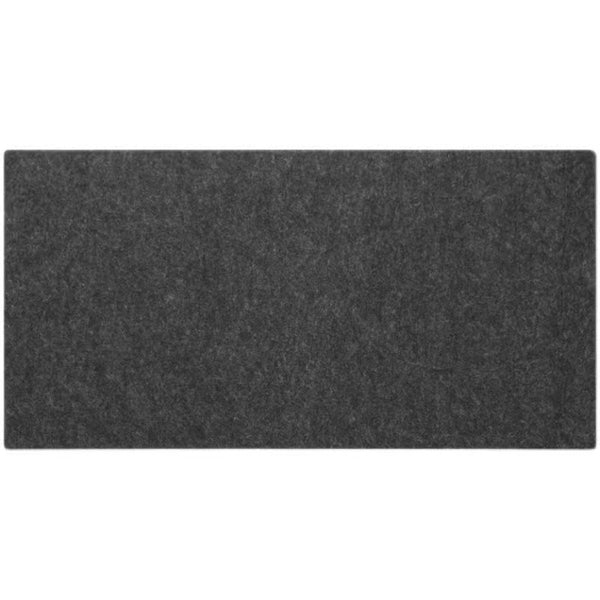
A felt desk pad covers the part of the desk where your hands do most of the work. It sits under the keyboard, mouse or laptop and puts a soft layer between them and the desk surface. Before you pick one, it helps to know three things: what size your setup needs, what wool felt is good at, and how to keep it clean. This guide covers each one using maker data and published material on wool felt.
What a felt desk pad is made of
Wool felt is a nonwoven material. Instead of weaving threads, makers press wool fibers together with heat, moisture and pressure until they lock into a dense sheet. The fibers interlock because of tiny scales on their surface. Because there is no weave, the cut edges do not fray or ravel.
One wool felt maker describes the material as dense and padded, and notes that wool felt barely wrinkles while synthetic nonwoven materials crease when folded. Felt can also be made from synthetic fibers such as polyester, alone or blended with wool. So check the listing: a pad sold as felt is not always wool.
What size desk pad do you need for a keyboard and mouse
Size the pad to the gear that sits on it, not to the whole desk. A pad that only fits the keyboard leaves the mouse on the bare desk. A pad that is wider than your desk hangs off the edge. A tape measure and a few minutes are enough to get this right.
- Measure the width of your keyboard from end to end.
- Add the side area your mouse moves through during normal use.
- If a laptop sits on the pad too, add its width or decide whether it stays beside the pad.
- Measure the depth from the front edge of the desk to where the back of the keyboard sits.
- Measure the free desk surface, since monitor feet, lamps or speakers can take part of it.
- Compare all of this with the pad's listed width and depth.
As a reference, the [9spaceX wool felt desk pad](https://www.9spacex.com/products/wool-felt-desk-pad-80-x-40-cm-non-slip-base) has a footprint of 80 x 40 cm, listed as width 80 and depth 40. If your desk is less than 40 cm deep where the pad goes, it will overhang. The listing gives a size tolerance of less than 1 mm, measured by hand.
Is wool felt a good desk mat material
The sources point to a few traits that matter on a desk. Wool felt is described as resilient: it keeps its shape after being pressed and released many times. It is also described as resistant to wear. Wool fibers carry lanolin, a thin waxy coating that gives them initial resistance to water and soil.
There are limits too. Wool fibers can absorb a lot of moisture, so the lanolin is a first line of defense, not a waterproof layer. A spill should be dealt with quickly. One maker also notes that new wool felt sheds slightly and that the shedding stops with use, so a little lint in the first weeks is normal.
Wool felt is often used in acoustic panels because its porous structure absorbs sound in a room. These sources describe rooms and panels, not thin desk pads. They do not measure whether a pad changes how a keyboard sounds, so that is not claimed here.
Wool felt compared with synthetic felt, leather, PU and cloth
Synthetic felt is the closest alternative, and the sources compare it directly. One maker says synthetic felt tends to thin, fray, fuzz and tear over time, and is often stiffer on one side. Another source notes that synthetic felt resists moisture and mildew and keeps its shape and color, but lacks the warmth and softness of wool. Wool felt is biodegradable; synthetic felt made from polyester or acrylic is not.
Leather, PU and cloth mats are common too, but none of the sources here test them against felt. So this guide does not rank them. When you compare, ask the same questions of each material: does the surface wipe clean, how does it react to a spilled drink, do the edges hold up, and does the base stay put on your desk. Then read each maker's care notes before you choose.
Does a mouse work on a felt desk pad
The 9spaceX pad is described as sitting under a keyboard, mouse or laptop, so the mouse is meant to go on it. The sources here do not measure how mice track on felt, so there is no claim on speed or precision. If your mouse behaves differently on the pad, try it for a few days, since new wool felt can shed slightly at first. If you still prefer a harder surface, a small separate mouse surface on top of the felt is an option.
How to clean a felt desk mat
Felt rewards gentle care. Crumbs and dust sit on the surface, so most cleaning is about lifting them off rather than scrubbing. The steps below follow the care notes on the 9spaceX listing. Always check the care notes for the pad you own, since makers treat felt differently.
- Vacuum the surface to lift crumbs, dust and loose fibers.
- For marks, wipe with a damp cloth and a color-safe detergent.
- Press and wipe gently; avoid hard rubbing, which can rough up the felt.
- Do not use abrasive cleaners.
- Do not use alcohol-based agents.
One felt maker says its products can get a quick fix at home with soap and water, and says wool felt items do not need regular washing. Treat those as general notes from that maker. For a specific pad, the listed care notes come first.
Where the 9spaceX wool felt pad fits
The [80 x 40 cm wool felt desk pad](https://www.9spacex.com/products/wool-felt-desk-pad-80-x-40-cm-non-slip-base) is made of wool felt cloth, 3 mm thick, and weighs 150 g. The underside is non-slip and is made to hold the pad in place. The felt rolls up when you want to store it or take it with you. The box holds one felt desk pad; the keyboard, mouse and other items in the photos are not included.
Be clear on what it does not offer. It comes in one size, so if your measurements call for a wider or deeper pad, it will not cover your setup. The listing does not call it waterproof, so spills still need quick attention. For other pieces that sit on the desk, see the [Desk Essentials collection](https://www.9spacex.com/collections/desk-essentials), and for a full setup example, the [white all-in-one desk by the window](https://www.9spacex.com/blogs/news/setup-white-desk-by-the-window) shows one way to arrange a desk.
A quick checklist before you buy
- Measure keyboard width, mouse area and desk depth, then compare with the pad's footprint.
- Check whether the felt is wool, synthetic or a blend.
- Look for a non-slip underside if the pad tends to move on your desk.
- Read the care notes and confirm you can follow them.
- Expect slight shedding from new wool felt.
- Check what is in the box and what is only shown in photos.