
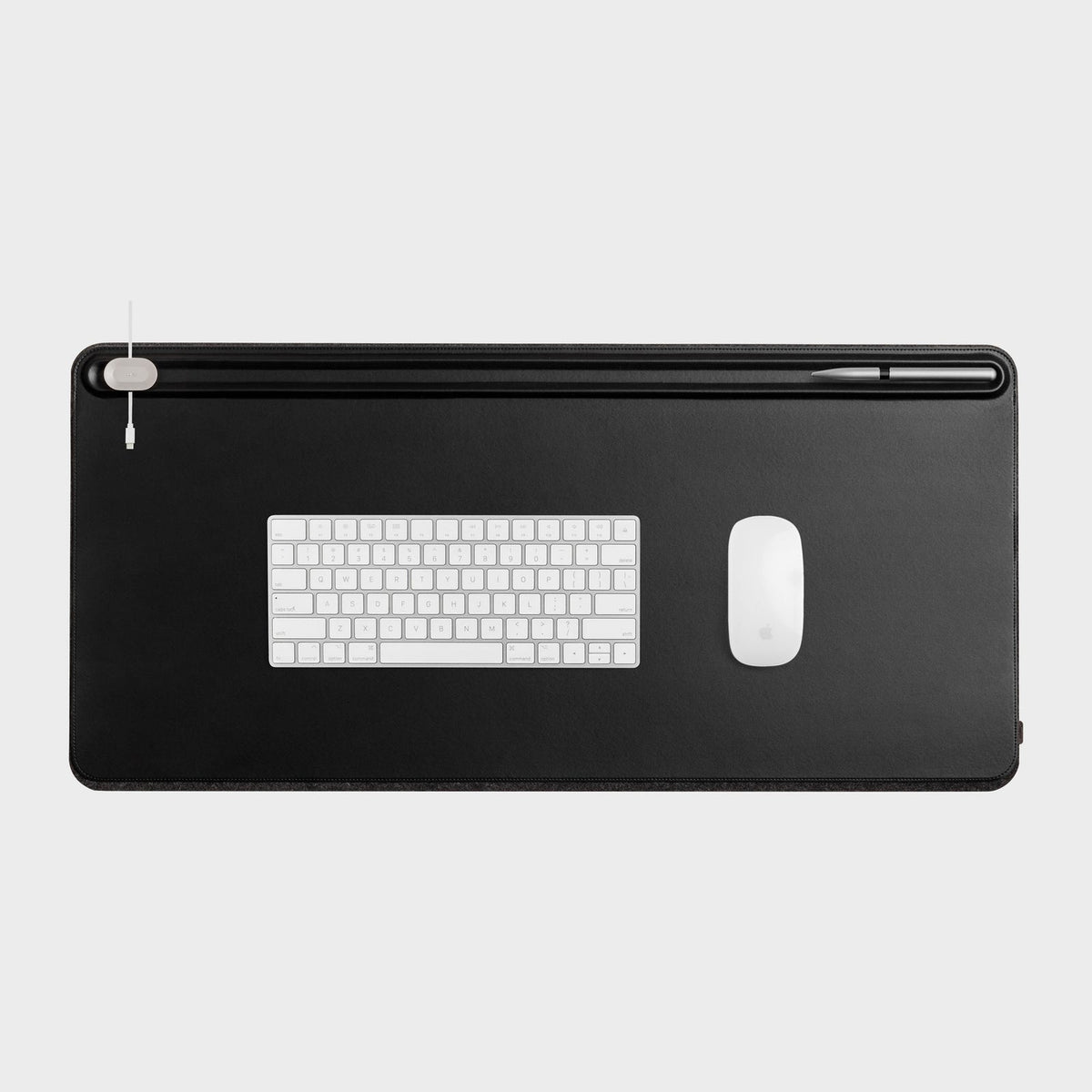
A desk mat size guide starts with your desk, not the mat. Depth, width, the keyboard you use and how far your mouse travels decide which size fits, and thickness and material come after that. This guide walks through five measuring steps, lists common sizes with real product examples, and explains when an extended mat makes sense.
Step 1: Measure desk depth and width
Grab a tape measure and record two numbers: the width of the free surface and the depth from the front edge to the wall or monitor feet. Measure the space you can actually use, because speakers, lamps and monitor stands take part of it.
Depth is the number that most often decides the size. OSHA's workstation guidance says the desk surface should let you place the monitor directly in front of you at least 20 inches (50 cm) away, so a desk that is too shallow forces a compromise before the mat is even chosen. Read the details on the OSHA desk page. If your desk is shallow, our guide to choosing a pull out keyboard tray for a shallow desk covers one way to gain room.
Leave a small margin. A mat that is as deep as the desk, or deeper, hangs over the back edge or bumps the wall. A mat a little narrower than your desk looks tidier and stays flat.
Step 2: Measure your keyboard
Measure the keyboard from end to end and from front to back, including any wrist rest. Keyboard layouts vary a lot. A full-size board is commonly described as 104 to 108 keys, while tenkeyless, 75 % and 60 % layouts drop the number pad and other keys, as the Wikipedia keyboard layout article explains. Fewer keys means a narrower board and more mouse room on the same mat.
For example, the Attack Shark X68 HE is a 60 % layout with 68 keys, and the Attack Shark R85 HE is a 75 % layout with 78 keys. Both pages list the layout, but measure your own board with a tape measure instead of guessing. If you are weighing a compact board for office work, see our piece on whether a 60 percent keyboard is practical for daily work.
Step 3: Plan mouse travel
The keyboard sets the minimum width. The mouse sets how much extra you need. OSHA advises keeping the keyboard and mouse close together and directly in front of you, so you are not reaching sideways. See its keyboard guidance.
How far the mouse actually moves depends on sensitivity and habit. Corsair's mouse pad guide notes that higher DPI generally needs less physical travel and lower DPI may need more, and that wide sweeping motions need more area than small corrections. To check yourself, put your hand in the usual mousing position and make the biggest sweep you normally make. Measure that distance and add it beside the keyboard width.

Step 4: Desk mat size guide to common sizes
This desk mat size guide has no single standard to quote, so makers name sizes differently. Corsair groups standard sizes (S, M, L) as mouse-only pads and calls extended sizes (XL to 3XL) desk mats that usually hold both keyboard and mouse. Real listings sit in a range, and these ones show it:
- Oakywood Felt&Cork Desk Mat: 62 x 30 cm (24.4 x 11.8 in), 90 x 30 cm (35.4 x 11.8 in) and 100 x 40 cm (39.4 x 15.7 in). This model is listed as a showcase item, not sold in the US yet.
- Wool Felt Desk Pad: 80 x 40 cm (31.5 x 15.7 in), listed on the product page with a size tolerance under 1 mm.
- Orbitkey Desk Mat Pro: Medium 686 x 373 mm (27.0 x 14.7 in) and Large 896 x 423 mm (35.3 x 16.7 in). It is listed as a showcase item, not sold in the US yet.
A mat around 60 to 70 cm wide covers a compact keyboard and a mouse. Around 80 to 100 cm wide spans a full keyboard plus mouse room, and it only works if your desk is that wide and deep enough. Check each product page for the listed footprint before you decide.
When an extended mat makes sense
An extended mat suits a desk where the keyboard, mouse and perhaps a laptop all sit on one surface. It gives your mouse arm room to sweep without hitting the desk edge, and it hides scratches and seams. The trade-off is space: it can run into monitor feet or crowd a shallow desk. One third-party piece on mat size warns that an oversized pad on a crowded desk can bunch up or interfere with keyboard placement.
Compare the mat width with your measurement from Step 1, not with the desk label. If you plan to raise your desk height later, our standing desk measuring guide helps check the surface area first.

Step 5: Pick thickness and material
Corsair says most pads range from 1 to 4 mm: thin pads (1 to 2 mm) feel firm, 3 mm is a general-purpose middle ground and 4 mm adds cushioning. The Wool Felt Desk Pad is listed at 3 mm, the Orbitkey Desk Mat Pro at 4.9 mm and the Oakywood mat at 0.3 cm, which is 3 mm. Logitech describes the 3 mm thickness of its large G840 cloth pad as giving stability at that size on its product page.
Thicker mats lift the keyboard slightly and make the edge more visible, so check the height of your wrist rest too. Material changes the feel more than the thickness. Wikipedia's mouse pad article notes that modern pads are usually fabric over foam or rubber and that leather, cork, wood and glass have also been used.
The felt Oakywood mat is merino wool on a cork base, the Orbitkey is vegan leather over recycled PET felt, and our Wool Felt Desk Pad is wool felt cloth with a non-slip underside. For a material-by-material comparison, read felt desk mat vs leather desk mat. For sizing a felt pad and caring for it, see the felt desk pad guide.

Desk mat size questions
What desk mat size do I need for a keyboard and mouse?
Measure the keyboard width, add your mouse sweep, and compare the total with the free depth and width of your desk. A mat about 80 cm wide and 40 cm deep covers a compact or tenkeyless keyboard and a mouse on many desks, but your own measurements decide.
Is an extended desk mat too big for a small desk?
It can be. If the mat is deeper than the space between the desk edge and your monitor feet, pick a smaller size or leave the back of the desk free.
Does mat thickness matter?
Mostly for feel. Thinner mats feel firm and stay low, thicker ones add cushion and raise the keyboard a little.
Conclusion: measure first, then pick the size
Use this desk mat size guide the same way you would plan the desk: measure the free depth and width, measure the keyboard, then add the mouse sweep you really use. A compact mat covers a small board and a short sweep, an extended mat suits a wider desk with room for both, and 3 mm is a solid starting thickness when you are unsure. Then choose the material that suits how you work. With a desk mat size guide like this one done, compare the listed footprints on each product page and read the felt and leather comparison before you decide.
Read more: Felt desk pad guide: size, material and care.
Read more: Felt Desk Mat vs Leather Desk Mat: How to Choose the Right Desk Surface.
Read more: Standing Desk Converter vs Standing Desk: How to Choose.